How long is the Run a Christmas Tree Lot tutorial?
Short — enough to unlock the truck, lot, and Menu. Finish every arrow before you redeem codes.

Run a Christmas Tree Lot beginner guide: redeem codes, order trees, stock the lot, sell, then hire. Place 112146301142141. Verified November 2026.
Order, stock, sell, then hire and expand.
~8 min read
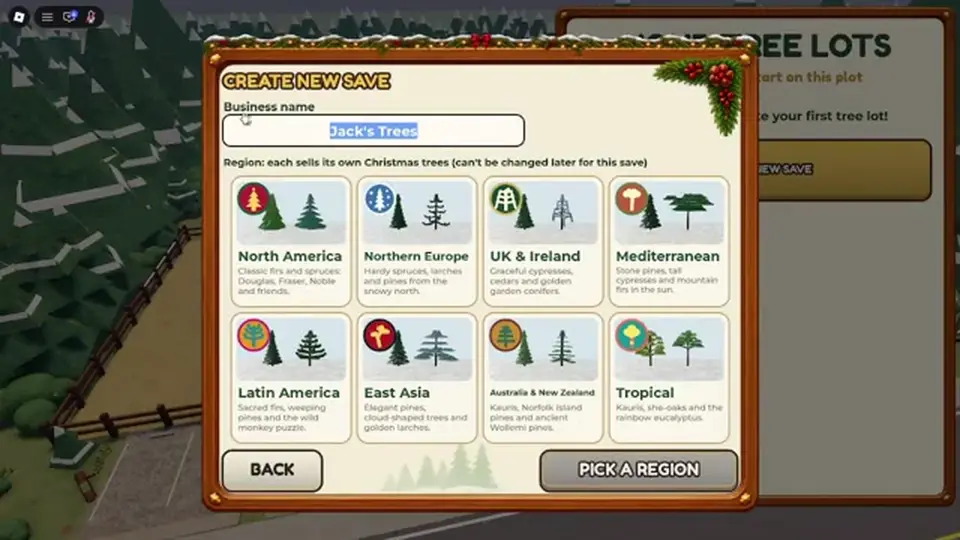
This Run a Christmas Tree Lot beginner guide is for Roblox Place 112146301142141 — Run a Christmas Tree Lot by Mr. Grinchmas. The first half hour is join → redeem codes → order trees from the supply truck → stock the lot → sell for Cash → decide when to hire workers.
This is a Roblox Christmas tree lot tycoon, not a real-world tree farm. Cash buys stock and hires; Reputation from happy customers gates upgrades — see reputation. Verified November 14, 2026 · Play on Roblox · Roblox servers · 6 players.
| Fact | Detail |
|---|---|
| Place | 112146301142141 |
| Listing | Run a Christmas Tree Lot |
| Developer | Mr. Grinchmas · group 1033606581 |
| Platform | Roblox · Desktop, Console, Mobile, Tablet |
| Mode | Roblox servers · 6 players |
| Core loop | Order → Stock → Sell → Hire → Expand |
| First hour | Codes → order → stock → sell → reinvest |
| Codes path | Right Menu → Codes |
| Economy | Cash + Reputation — not the same currency |
| Place verified | November 14, 2026 |
Matched by build plan, shared topics, and guide progression — not random related links.
Confirm the Roblox card reads Run a Christmas Tree Lot by Mr. Grinchmas and Place 112146301142141. Holiday tycoons with similar names use different IDs — friends who join the wrong experience cannot trade Cash with you.
Finish the onboarding prompts until you can interact with the supply truck and walk the lot freely. Then open how to redeem in another tab and paste any Active codes you still own. After grants land, buy trees before cosmetics.
| Minute | Goal | Skip if |
|---|---|---|
| 0–5 | Join correct Place + finish tutorial | Menu still missing |
| 5–10 | Redeem all Active codes | You already redeemed this session |
| 10–20 | First truck order + stock | Shelves already full from tutorial |
| 20–30 | First sales + Cash reinvest | You are sitting at zero stock |
Search results mix real Christmas tree retail, other Roblox holiday sims, and unrelated “tree lot” words. This Run a Christmas Tree Lot beginner guide only covers Place 112146301142141.
Roblox servers · 6 players. Busy servers mean faster customer spawns but more competition for worker attention. A quiet server is fine for learning the truck timing — see how to play.
Redeem as soon as the right Menu → Codes path works — usually right after the tutorial. Cash dumps from IMBROKE, SNOWBALL, and BUDDYTHEELF fund your first restock waves. Timed rows like MISTLETOE should trigger only when shelves can sell.
Follow how to redeem Run a Christmas Tree Lot codes for the exact click order. Do not use roblox.com/redeem. Watch Mr. GM Studio for strings that post after this guide's snapshot.
You can run the lot without codes. They shorten the broke phase before your second truck. OGTICKET is cosmetic — do not let it block SNOWBALL.
HOHOHO and JINGLEBELLS matter when upgrades ask for Reputation. Banking them in minute ten is fine if you are still learning stock placement.
Walk to the supply interface at the truck side of the lot. Pick tree types you can afford with current Cash — exact list names sit on trees. Public guides do not publish reliable per-tree profit yet, so start with cheaper starter pines rather than exotic names you cannot restock twice.
After you confirm the order, the truck delivers unless you own Instant Delivery from game passes. Waiting is normal on a free account. Use the wait to place empty slots on the display side so delivery has a destination.
| Step | Do this | Fail if |
|---|---|---|
| 1 | Open supply / truck UI | You bought decor with no stock |
| 2 | Pick affordable tree types | You picked a name you cannot reorder |
| 3 | Confirm and wait for delivery | You idle with empty shelves |
| 4 | Prepare display slots | Trees sit at the truck forever |
Do not invent margin math from wiki tables — this site marks tree prices TBA until measured in-game. Order what you can afford twice: one wave on the ground, one wave inbound.
Buy tree types from the supply truck and wait for delivery unless Instant Delivery is owned. Stocking is the next step — trees in the wrong corner do not sell.
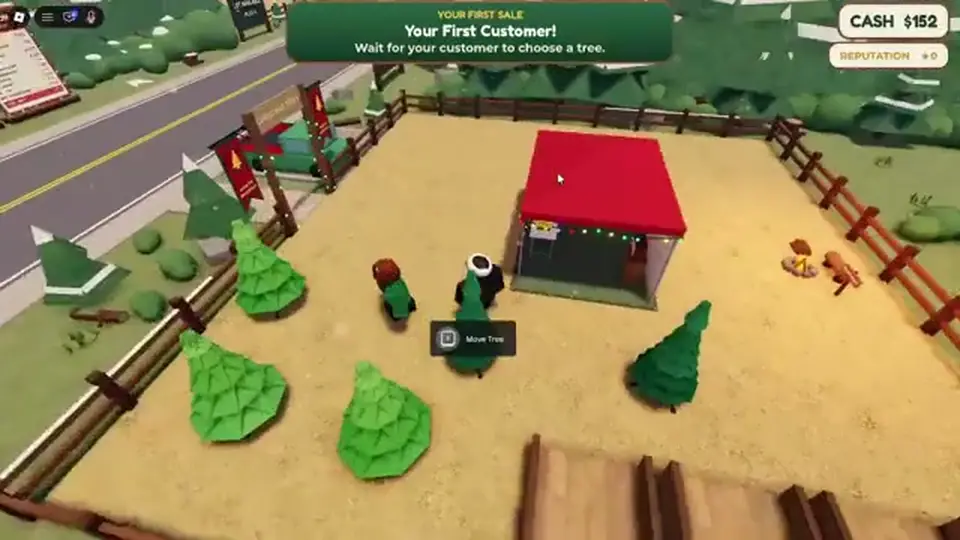
Move delivered trees from the drop zone onto customer-facing slots. Customers pay Cash when they buy; happier visits add Reputation. An empty lot during a rush is the most common beginner stall — keep at least one tree type visible.
Stand where you can see both the truck arrival and the queue. Sell through your first wave before you obsess over rare tree names. Cash in hand is the proof the loop works; tune variety on trees later.
If customers walk past without paying, check three things: nothing stocked, trees blocked by decor, or you are standing in the interaction lane. Fix stock first — price guessing is not the beginner problem because the game handles tags on each type.
Reputation from happy customers matters later for upgrades, but hour one is Cash discipline. Reinvest every sale into the next affordable truck wave until the counter does not hit zero between deliveries.
| Loop step | Player action | Payoff |
|---|---|---|
| Order | Buy tree types from the supply truck and wait for delivery unless Instant Delivery is owned | Enables sell |
| Stock | Move delivered trees onto the lot so customers can buy them | Enables sell |
| Sell | Customers pay Cash | Cash + Reputation |
| Hire | Workers help run the lot when traffic stacks up | Enables sell |
| Expand | Spend Cash (and Reputation where required) to upgrade and grow the lot | Enables sell |
Holiday decor and rolls are tempting when code Cash spikes. Decor without stock is a screenshot, not a business. The cash guide puts cosmetics after stable sell cycles.
You cannot buy trees with Reputation. Happy customers build it for upgrade gates. Spending thirty minutes on Cash only is normal in hour one.
Hire when you cannot stock and greet fast enough — usually after your second or third sell wave, not before your first successful order. Workers cost Cash and automate parts of the lot; details stay on workers.
If customers despawn or leave unhappy while you are alone at the truck, that is the hire signal. If you are still learning where to drop trees, wait one more wave so worker salary does not drain a broke account.
Workers multiply a layout that already sells. They do not discover tree margins for you, fix an unaffordable catalog obsession, or replace the truck order button. Treat salary like a subscription: cancel the hire fantasy until two consecutive sell waves fund the next stock run with Cash left over.
On six-player servers, another owner’s traffic does not pay your bills — your lot is your loop. Hire for your queue pain, not because a neighbor looks staffed.
First purchase is trees. Second is often more trees or a small upgrade that adds slots. Workers multiply a working layout — they do not fix zero stock.
2× Cash and VIP help sustained sessions but are optional in hour one. Instant Delivery shines when you already know what to order — read game passes after your third truck.
Wrong Place ID, skipping Codes on a fresh account, letting 2× Cash tick on an empty lot, and hiring before a proven sell cycle are the big four. Less obvious: retyping codes, using roblox.com/redeem, and buying decor before a second truck order.
If you are stuck with Cash but no sales, walk the lot and count empty slots. If you are stuck with trees but no Cash, you may have over-ordered one expensive type — diversify on the next truck with names from trees.
| Mistake | Why it hurts | Fix |
|---|---|---|
| Wrong Place | Codes and progress do not transfer | Rejoin 112146301142141 |
| Idle during MISTLETOE | Timer waste | Stock then sell immediately |
| Early worker hire | Salary without revenue | Wait for queue pain |
| Decor before stock | No Cash income | Truck order first |
| Trusting stale code lists | CHRISTMAS rejects | Use this wiki Active table |
After minute thirty, open how to play for truck rhythm, cash for spend priority, and trees for catalog names. Join Mr. GM Studio if you want drop alerts — no Discord page lives on this wiki.
Pin Place 112146301142141, keep codes for Copy cells, and open how to redeem once if Menu acted finicky during the tutorial. Return here if you forget whether workers or trucks come first — trucks always win.
Next: tighten the order-stock-sell rhythm on how to play. Spend your stash on cash priorities.
Short — enough to unlock the truck, lot, and Menu. Finish every arrow before you redeem codes.
Yes, if Menu → Codes works. Spend Cash on stock right after grants.
Affordable starter types you can reorder twice. Per-tree profit is TBA — avoid exotic names until Cash is stable.
After two or three sell waves when queues outrun you alone. See the workers guide for roles.
No verified public Trello in recaps. Use Discord and the Roblox group for updates.
How to play, cash, and trees.
Matched by build plan, shared topics, and guide progression — not random related links.